
Welcome
Housing Access Guide
House rules
I do not smoke inside
I remove my shoes in the entrance
I respect quiet hours between 10pm and 7am
Do not unplug the fridge
Accommodation User Guide
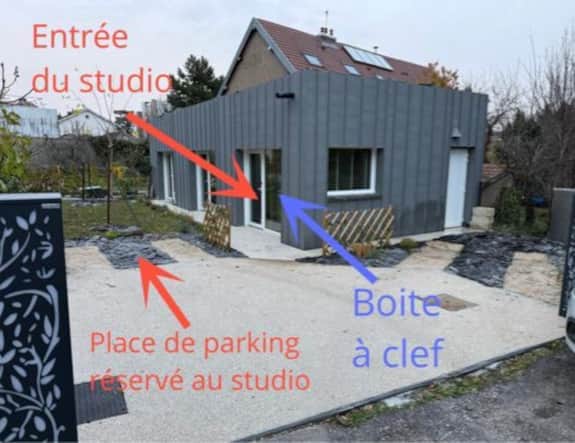
KEY BOX
To open the key box, please enter the confidential code by correctly aligning the numbers on the markers. Once the code is entered, pull the top part of the box to open it. (Watch the usage video here)
After use, carefully close the box. It is essential to scramble the code by changing the numbers to ensure security.
COFFEE MACHINE
For coffee: Fill with water if necessary, open the front lid and insert a yellow pod for a regular coffee or a black pod for an espresso, close the lid, select the desired liquid quantity by turning the front knob according to the marking on the capsule, then press the button with the cup pictogram.
For hot chocolate: Follow the same steps as for coffee.
The pods provided will not be replenished during your stay.
TV
Turn on the television using the remote control. In the “Favorite Apps” section, scroll through the applications until you find the Orange TV app. Then select it by pressing on it. (Watch the usage video here)
WIFI : Flybox - 58C2 Code : rgjcP4dNgNkE
Cooking Plate (2 zones)
(see usage video by clicking here)
1. Turning on the plate
- Place your pot or pan on one of the two circles.
- Press the power button (⏻) → the plate turns on.
2. Locking / Unlocking (child safety)
- To lock the plate: Press the lock button (🔒). The display shows “Lo” → all buttons are blocked.
- To unlock: Press and hold the lock button (🔒) for a few seconds until “Lo” disappears.
3. Selecting a cooking zone The plate has two zones:
- Bottom zone (closest to you) → button marked B
- Top zone (farthest from you) → button marked 8 (or the top symbol)
Press the button corresponding to the zone where your pot is placed. A red indicator light turns on next to the selected button.
4. Setting the power level Once the zone is selected:
- Press the + button to increase the power.
- Press the – button to decrease the power.
- The power level is displayed as numbers (e.g. 1 to 9).
5. Boost function (maximum power) Press the Boost button (symbol B or “Boost”) to switch directly to maximum power (very useful for boiling water quickly).
6. Turning off
- To turn off the plate completely: Press the power button (⏻). All indicators turn off and the plate is locked.
AIR CONDITIONING
LINEN AND CLEANING
Upon request, towels and tea towels will be changed and cleaning will be done after 2 days.
Please let me know the day before.
BREAKFAST SUPPLIES
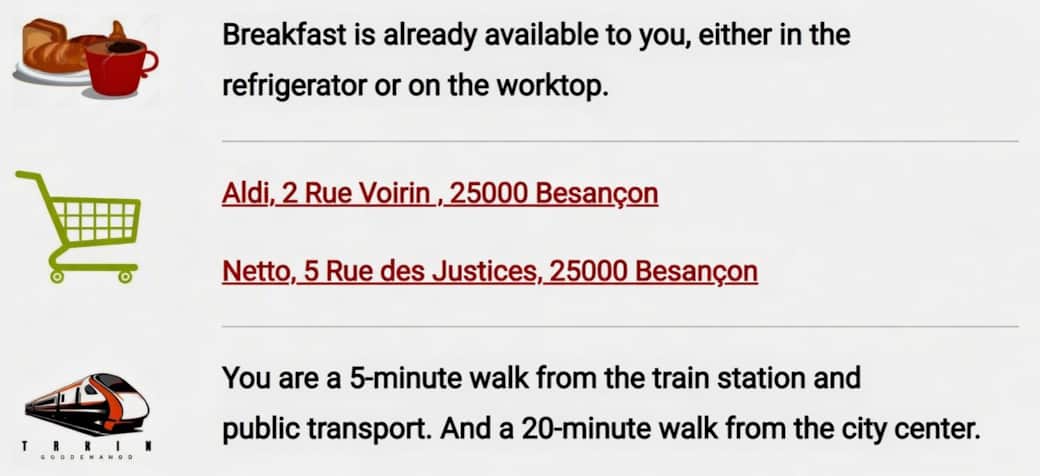
Breakfast items are already available for you, either in the refrigerator or on the countertop.
It includes:
- One brioche
- Rusks (biscottes)
- Butter
- Jam and Nutella
Don't hesitate to contact me if you have any questions!